
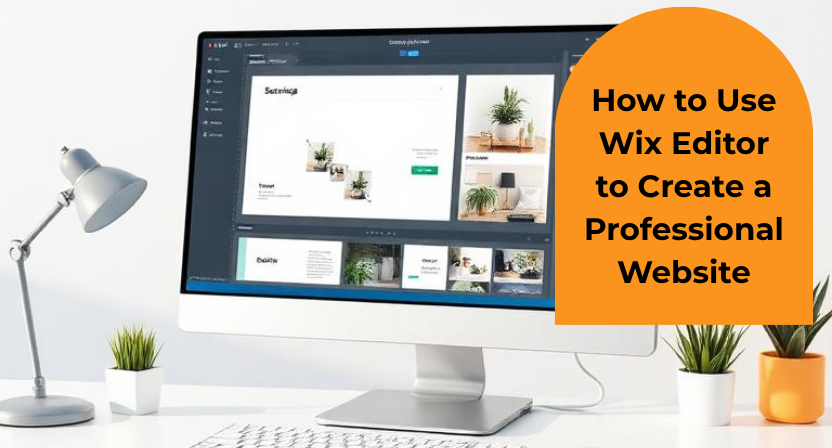
Creating a professional website no longer requires advanced coding skills or years of web development experience. Website builders have made it much easier for individuals, startups, and small businesses to create an online presence. Among the available options, Wix Editor is a popular choice because it allows users to build and customize websites through a visual editing interface.
However, simply choosing a template and adding a few images does not automatically make a website look professional. A good website needs a clear structure, useful content, consistent design, and a smooth experience across different devices.
In this guide, we will look at how to use Wix Editor to create a website that looks professional and works well for visitors.
What Is Wix Editor?
Wix Editor is a visual website-building platform that lets you create and customize website pages without having to write code. You can add text, images, buttons, videos, sections, menus, forms, and other elements directly to your pages.
The editor also provides design controls that allow you to change fonts, colors, layouts, backgrounds, and other visual elements. Wix provides templates as a starting point, but you can customize the content and appearance to match your business or personal brand.
This makes Wix Editor useful for different types of websites, including business websites, portfolios, blogs, service websites, and landing pages.
1. Decide the Purpose of Your Website First
Before opening the editor and changing colors or adding images, decide what the website needs to achieve.
For example, a service company may want visitors to understand its services and contact the business. An online portfolio may focus more on showcasing previous work. A small business website may need information about products, services, location, opening hours, and contact details.
Having a clear purpose makes the design process much easier. Instead of adding every feature available, you can concentrate on the elements that actually help your visitors.
Think about three simple questions: Who will visit the website? What information are they looking for? What should they do after reading the page?
The answers can guide almost every design decision you make later.
2. Choose a Suitable Wix Template
Wix provides templates for different types of websites. You can start with a design that is close to your business requirements and then customize it in Wix Editor. Templates can save considerable time because the basic layout, sections, and visual structure are already prepared.
Do not choose a template only because it looks attractive. Look at its structure as well.
For example, if you are creating a professional engineering company website, a template with large lifestyle photographs and multiple decorative animations may not be the right choice. A clean business layout with space for services, projects, technical information, and contact details may work much better.
The template should support your message, not become the message itself.
3. Build a Simple Website Structure
A professional website should be easy to navigate.
For many businesses, a simple structure could include Home, About, Services, Projects or Portfolio, Blog, and Contact. You may not need all these pages, but visitors should be able to find important information without searching through several menus.
Wix Editor allows you to add new pages and include them in your site’s menu. You can start with a blank page or use a pre-designed page layout.
Keep your main navigation short. If the menu contains too many options, visitors may struggle to understand where they should go.
A useful rule is to organize the website according to the questions your customers are likely to ask.
4. Customize the Design
Once your basic structure is ready, start customizing the website in Wix Editor.
Begin with your brand colors and typography. Try to use a small number of colors throughout the website instead of giving every section a different appearance. The same applies to fonts. One font for headings and another for body text is often enough.
Consistency makes a website feel more polished.
You can also adjust images, backgrounds, buttons, sections, and other elements through the editor. Wix provides a range of customizable elements that can be added to pages and modified according to your requirements.
Remember that professional design does not necessarily mean complicated design. In many cases, clean spacing, readable text, good images, and a logical layout can create a stronger impression than excessive visual effects.
5. Write Clear Website Content
Design may attract a visitor, but content helps them decide whether to stay.
Your homepage should quickly explain what your business does and who you help. Avoid filling the first screen with long paragraphs. Instead, use a clear headline, a short supporting message, and a relevant call-to-action.
For example, instead of writing:
“Welcome to our company website. We are pleased to introduce our organization and the various solutions that we provide to our valuable customers.”
A more direct version could be:
“Mechanical CAD Support for Engineering Teams”
Follow it with a short explanation of the service and a button such as “Discuss Your Project.”
Wix Editor makes it possible to add and edit headings and paragraphs directly within the page.
The goal is not to fill every available space. The goal is to make important information easy to understand.
6. Use Images That Support Your Message
Images can make a website more engaging, but they should have a purpose.
A service company should consider using images of its work, products, team, facilities, or projects rather than relying entirely on generic stock photographs.
For example, a web development company could show website screenshots. An architecture company could display completed projects. An engineering company could showcase CAD models, technical drawings, or product designs.
Good images can communicate information much faster than a large block of text.
At the same time, avoid adding images simply because an empty section looks uncomfortable. Every visual element should support the visitor’s understanding of the business.
7. Pay Attention to Mobile Design
A website may look excellent on a desktop computer and still feel awkward on a phone. That is why mobile testing should be part of the design process, not something you do at the very end.
Wix Editor provides a mobile editor that lets you adjust the mobile version of the site. Wix also automatically creates a mobile-friendly version based on the desktop site.
Check important areas such as headings, buttons, images, menus, forms, and spacing.
Make sure buttons are easy to tap and that visitors do not have to zoom in to read the content.
A Simple Tip: Try the “Silent Visitor Test”
Here is a practical test that many website owners can easily overlook.
Open your website on a phone and imagine that the visitor has no sound, no previous knowledge of your business, and only 10 seconds to understand the page.
Without scrolling too much, ask yourself:
“What does this company do?”
“Is this relevant to me?”
“What should I click next?”
If you cannot answer those questions quickly, the homepage probably needs a clearer message.
This simple test can be useful because it focuses on what a first-time visitor actually understands rather than what the website owner already knows about the business.
8. Add Clear Calls to Action
A professional website should guide visitors toward the next step.
Depending on the purpose of the website, this could be “Contact Us,” “Request a Quote,” “Book a Consultation,” “View Projects,” “Shop Now,” or “Download Brochure.”
Do not hide your main call-to-action at the bottom of a long page.
At the same time, avoid putting several competing buttons everywhere. If everything is presented as the most important action, visitors may not know what to choose.
Choose one primary action for each important page.
9. Optimize the Website for Search Engines
Creating a beautiful website is only one part of building an online presence. People also need to be able to find it through search engines.
Wix provides SEO settings that allow you to work on elements such as page titles, descriptions, URLs, and indexing settings.
Start by identifying the terms your potential customers are actually searching for. Then use those terms naturally in relevant page titles, headings, and content.
Avoid repeating the same keyword unnecessarily. Search engines are designed to understand the topic of a page, while visitors simply want useful information.
Original and descriptive content can help both users and search engines understand what each page is about.
10. Check Every Page Before Publishing
Before publishing your website, go through it as if you were a customer.
Check every menu item and button. Make sure contact forms work. Look for spelling mistakes. Check whether images load correctly. Read the important sections on both desktop and mobile.
Also check whether your contact information is easy to find.
Wix allows you to save and preview your work before publishing. Remember that saving changes does not make them live; you need to publish the website for the changes to appear on the live site.
This final review can prevent small mistakes from making a poor first impression.
11. Keep Improving the Website After Launch
Publishing the website is not the end of the process.
As your business develops, your website should develop with it. Add new projects, update outdated information, improve pages that receive traffic, and publish useful blog content.
You can also pay attention to the questions customers repeatedly ask. If several visitors or customers ask the same question, consider adding the answer to your website.
Over time, these small improvements can make the website more useful and easier to maintain.
Common Mistakes to Avoid in Wix Editor
One common mistake is trying to use every design feature available. Animations, unusual fonts, large graphics, and decorative effects may look interesting individually, but too many of them can make a website difficult to use.
Another mistake is copying the template too closely. A template should provide a starting point, not determine your entire brand identity.
Using low-quality images is another issue. A simple website with a few sharp, relevant images can look much more professional than a complicated website filled with unrelated stock photos.
Finally, do not ignore mobile users. A website that works well only on a desktop computer can lose potential visitors before they even understand what the business offers.
Conclusion
Wix Editor makes website creation accessible to people who may not have a technical background. Its visual editing tools, templates, customizable elements, mobile editing options, and SEO settings provide a practical starting point for building a professional online presence.
But the quality of a website depends on more than the platform used to build it. Clear content, thoughtful structure, consistent branding, useful images, mobile usability, and a simple visitor journey are what make a website feel professional.
For businesses that want to create a strong digital presence without dealing with the technical complexity of traditional website development, platforms such as Wix can be a practical option. At Qaxles Technologies, we understand that a business website should do more than simply look good. It should communicate the value of the business, make information easy to find, and provide a clear path for potential customers to take the next step.
A well-designed website is not just an online brochure. When planned properly, it can become an important part of how a business presents itself, attracts visitors, and grows online.