
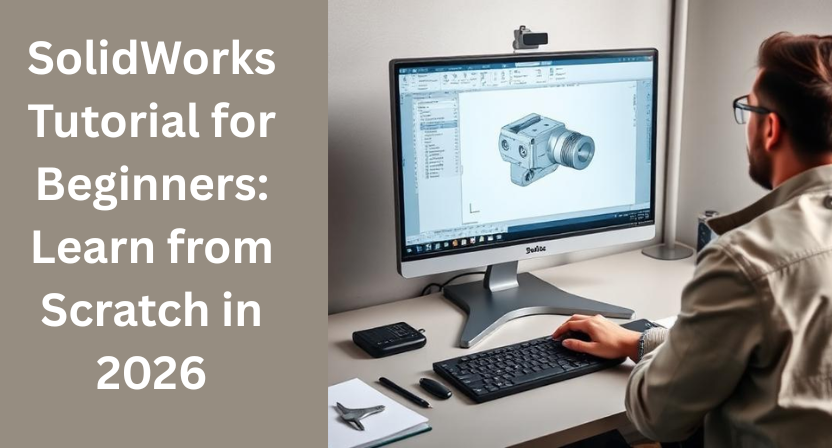
Learning 3D design can feel intimidating at first especially if you are opening SolidWorks for the very first time. Too many buttons, too many menus, and no clear starting point. The good news is this: SolidWorks is one of the most beginner-friendly CAD tools available today when you follow the right learning path.
This SolidWorks tutorial is designed specifically for beginners in 2026. Whether you are a student, a fresher, or a working professional looking to upgrade your skills, this guide will help you start from scratch and build confidence step by step.
What Is SolidWorks and Why Is It Still Relevant in 2026?
SolidWorks is a parametric 3D CAD software widely used in mechanical engineering, product design, and manufacturing. Even in 2026, it remains a top choice across industries like automotive, industrial equipment, consumer products, and aerospace.
The reason is simple: SolidWorks is powerful, flexible, and industry-oriented. Companies don’t just use it to create models they use it to design, test, modify, and manufacture real products.
If you’re serious about building a career in design or engineering, learning SolidWorks is not optional anymore. It’s essential.
Who Should Learn SolidWorks?
This SolidWorks tutorial is ideal for:
- Mechanical engineering students
- Diploma and polytechnic students
- Fresh graduates looking for CAD jobs
- Working professionals switching to design roles
- Entrepreneurs developing physical products
No prior CAD experience is required. If you can think logically and are willing to practice, you can learn SolidWorks.
Getting Started: Understanding the SolidWorks Interface
When you open SolidWorks for the first time, don’t try to understand everything at once. Focus on the essentials.
Key areas you should know:
- Command Manager – where most tools are located
- Feature Tree – shows how your model is built step by step
- Graphics Area – where you create and view your model
- Property Manager – controls dimensions and features
Spend time just clicking around. Familiarity comes faster than you expect.
SolidWorks Tutorial Step 1: Sketching Basics
Every SolidWorks model starts with a sketch. Think of a sketch as the foundation of your design.
Begin with:
- Lines, rectangles, and circles
- Smart dimensions
- Relations like horizontal, vertical, and concentric
A fully defined sketch is always better than an under-defined one. It keeps your model stable and easier to edit later.
Tip: Don’t rush sketching. Clean sketches lead to clean models.
SolidWorks Tutorial Step 2: Creating 3D Features
Once your sketch is ready, you move into 3D modeling.
The most important features for beginners are:
- Extrude
- Cut
- Revolve
- Fillet
- Chamfer
Start simple. Create basic shapes first and gradually add details. SolidWorks rewards structured thinking.
SolidWorks Tutorial Step 3: Editing and Modifying Designs
One of the biggest advantages of SolidWorks is parametric modeling. This means you can change dimensions anytime, and the entire model updates automatically.
As a beginner, practice:
- Editing sketches
- Changing feature dimensions
- Reordering features in the tree
This is where SolidWorks really shines and where beginners start feeling confident.
Assemblies: Bringing Parts Together
After learning part modeling, the next step is assemblies.
Assemblies allow you to:
- Combine multiple parts
- Apply mates like concentric and coincident
- Check movement and fit
You don’t need advanced knowledge here initially. Just understand how parts relate to each other.
Drawings: Turning Models into Manufacturing Data
SolidWorks drawings convert your 3D models into 2D technical drawings used for manufacturing.
Learn to:
- Insert views
- Add dimensions
- Use proper scales
- Apply basic annotations
Even a simple drawing skill can make you job-ready.
Common Beginner Mistakes to Avoid
Many beginners struggle not because SolidWorks is difficult, but because of small mistakes.
Avoid these:
- Over-complicated sketches
- Ignoring fully defined sketches
- Random feature creation without planning
- Skipping practice
Consistency matters more than speed.
How Long Does It Take to Learn SolidWorks?
With regular practice:
- Basics: 2–3 weeks
- Confident part modeling: 1–2 months
- Industry-ready skills: 3–6 months
The key is hands-on practice, not just watching tutorials.
Conclusion
Learning SolidWorks in 2026 is a smart move for anyone serious about design and engineering. With the right SolidWorks tutorial, patience, and practice, even beginners can move from zero knowledge to professional-quality modeling.
At Qaxles Technologies, we work closely with engineering teams and businesses worldwide, delivering high-quality SolidWorks modeling, assemblies, and design support. Our experience with real-world projects allows us to understand both learning challenges and industry expectations.
If you need professional SolidWorks-based CAD design and engineering support, Qaxles Technologies is here to help you move forward with confidence.