
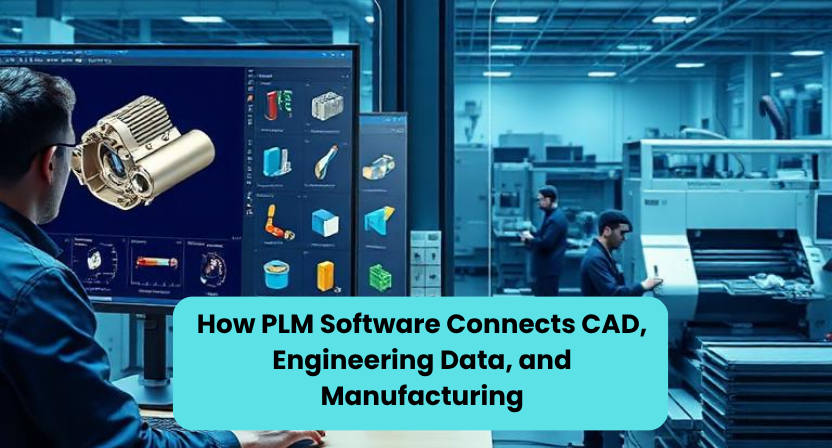
Designing a product is only one part of bringing it to market. A mechanical engineer may create a detailed CAD model, another team may prepare the drawings and bill of materials, while manufacturing works with production data, suppliers handle components, and quality teams maintain inspection records. When these activities are managed separately, even a small design change can create confusion.
This is where PLM software becomes important. Product Lifecycle Management software connects product information, engineering processes, and manufacturing activities so that different teams can work with the right information at the right stage. Instead of treating CAD files, drawings, bills of materials, engineering changes, and manufacturing information as separate pieces, PLM creates a connected product data environment.
What Is PLM Software?
PLM software is used to manage product information and processes throughout the product lifecycle. This can include the early design stage, engineering development, testing, manufacturing, service, and eventually product retirement.
For engineering teams, PLM software can work closely with CAD and PDM systems. It can help control product files, revisions, documents, bills of materials, approvals, and engineering changes. For manufacturing teams, it can provide access to released product information and connect engineering decisions with downstream processes.
The main idea is simple: everyone involved in a product should be working from controlled and traceable information instead of relying on disconnected files, emails, spreadsheets, or outdated drawings.
How PLM Software Connects With CAD
CAD is where many product designs begin to take shape. Engineers create 3D models, assemblies, drawings, and other technical information using CAD tools.
However, a CAD file by itself does not explain the complete history of a product. Teams also need to know which revision is approved, who made a change, which drawing belongs to an assembly, and whether the related documentation has also been updated.
PLM software helps connect this CAD information with product data and workflows. Depending on the PLM platform and its integrations, engineers can work with CAD data while the system manages revisions, approvals, product structures, and related documents. Multi-CAD environments can also be supported by some PLM platforms, which is useful when different teams or suppliers use different design tools.
This creates a more controlled engineering workflow. Instead of asking, “Which CAD file is the latest one?”, teams can use the lifecycle and revision information maintained within the system.
Connecting CAD Data With Engineering Information
A product is much more than its 3D model.
An assembly can contain hundreds or thousands of parts. Each part may have a drawing, specification, material requirement, revision, supplier detail, or manufacturing instruction associated with it. Managing these relationships manually becomes increasingly difficult as products become more complex.
PLM software brings these pieces together. CAD models and drawings can be connected with bills of materials, specifications, engineering documents, and change records. This gives teams a broader view of the product rather than looking at individual files in isolation.
This connection is especially useful during design changes. If an engineer modifies a component, the team needs to understand what else could be affected. The change may involve an assembly, drawing, BOM, manufacturing instruction, supplier, or quality document.
PLM-based change management provides a structured way to review, approve, implement, and track these changes.
Why Engineering Changes Need More Than a New CAD File
Consider a simple example.
An engineer changes the thickness of a sheet-metal enclosure because the original material is no longer suitable. The CAD model is updated, but the work does not end there.
The manufacturing drawing may need revision. The BOM may need updating. The material specification may change. Purchasing may need to contact a different supplier. Manufacturing may need a new instruction. Quality may need to review the change.
If only the CAD file is changed, other teams may continue using old information.
PLM software helps bring these activities into a controlled change process. ECRs, ECOs, approvals, revisions, and related product information can be connected so that the change has a traceable history.
Connecting Engineering With Manufacturing
One of the most important roles of PLM software is connecting the engineering side of the business with manufacturing.
Engineering may define how a product should be designed, while manufacturing needs to understand how that product will actually be produced. The information must move between these teams without losing revision control or product structure.
PLM can help maintain the connection between engineering BOMs and manufacturing-related product structures and processes. It can also connect product information with other enterprise systems such as ERP and MES, depending on the organization’s technology environment.
This means manufacturing teams can work from released engineering information rather than searching through folders to find drawings or asking engineers which version should be used.
PLM Software and the Digital Thread
You may have heard the term digital thread in discussions about digital manufacturing.
The idea is to create a continuous connection between product information and the processes surrounding it. CAD data, product structures, engineering changes, manufacturing information, quality records, suppliers, and other lifecycle information can become part of a connected flow.
For example, a product may start with a design requirement, move into CAD development, go through engineering review, become an approved BOM, enter manufacturing, and later generate service or quality information. A connected PLM environment can help maintain relationships between these stages.
The value is not simply having more data. The real value is being able to understand how one piece of product information relates to another.
A Simple Example of PLM in Practice
Imagine a company developing a new cooling enclosure for a data-center application.
The mechanical engineering team creates the initial 3D CAD assembly. Sheet-metal components are added to the product structure, and engineering drawings are prepared. The BOM identifies the required components and materials.
During testing, the team discovers that one component needs to be modified.
Without a connected product data process, the engineer might update the CAD model, send an email to manufacturing, update a spreadsheet, and separately inform purchasing.
With PLM software, the change can follow a defined engineering change workflow. The affected CAD data, BOM, drawings, approvals, and related information can be connected to the change record. Manufacturing and other relevant teams can then work from the approved revision.
This does not eliminate the need for engineering judgment. Instead, it gives engineers and other teams a structured way to manage the information surrounding their decisions.
A Less Obvious Benefit: PLM Preserves the Reason Behind a Change
One useful aspect of PLM is often overlooked.
Companies tend to focus on what changed, but the reason behind a change can be just as valuable.
Imagine that an engineer changes a component three years after the original product was launched. If the organization only has the latest CAD model, it may be difficult to understand why the original design was created in a particular way.
A well-managed PLM process can preserve the history around the change, including the request, review, approval, affected product information, and released revision.
This creates what we can think of as a “decision trail” alongside the product data.
That is a practical advantage because engineers working on future revisions do not have to treat every old design decision as a mystery. They can use the history to understand how the product evolved.
How PLM Helps Different Teams Work Together
PLM software is not only an engineering tool. Its value increases when different functions can work around the same product information.
Engineering teams can manage CAD data, drawings, revisions, and changes. Manufacturing teams can access approved product information. Quality teams can connect quality processes with product data. Purchasing and suppliers can work with relevant information when appropriate. Product teams can gain better visibility into development activities.
This cross-functional connection is one of the main differences between simply storing CAD files and managing the complete product lifecycle. PLM extends beyond engineering data management into broader product and process collaboration.
PLM Software Does Not Replace Engineering
It is important to understand that PLM software does not make engineering decisions for a company.
An engineer still needs to determine whether a design is manufacturable. A manufacturing engineer still needs to understand the production process. A quality engineer still needs to evaluate product requirements. A change still needs appropriate technical review.
PLM provides the framework for managing the information and processes around those decisions.
In simple terms, CAD helps engineers create the product, while PLM helps the organization control, connect, and manage the product information throughout its lifecycle.
Choosing the Right PLM Approach
There is no single PLM setup that works for every manufacturer.
A small engineering organization may initially need strong CAD data management, revision control, and document management. A larger manufacturer may need broader capabilities covering BOM management, engineering changes, NPI, quality, supplier collaboration, manufacturing processes, and integrations with ERP or MES.
The important point is to understand the company’s actual workflow before choosing or expanding a PLM system.
A PLM implementation should solve real information and process problems rather than simply introduce another software platform.
Conclusion
Modern product development involves far more information than a CAD model. Drawings, BOMs, specifications, revisions, engineering changes, manufacturing data, quality information, and supplier details all need to remain connected as a product moves from design toward production.
PLM software provides a structured way to connect these areas. By bringing CAD data, engineering information, product structures, change management, and manufacturing processes into a connected environment, organizations can improve traceability and reduce the confusion caused by disconnected product information.
For engineering organizations that need additional support with CAD data, engineering documentation, ECO/ECR activities, PDM/PLM workflows, and mechanical design execution, Qaxles Technologies provides engineering support focused on connecting design work with practical product-development processes. The goal is not simply to create CAD models, but to help engineering teams manage the information and documentation that allow those designs to move efficiently toward manufacturing.